Enabling Observability for GCP Services
3.1 Databricks
3.1.1 Create Service Principal
-
Service Pricipal with Account admin role is used to access databricks account level APIs. This will help us to create SQL warehouse in the workspace and fetch databricks cost and performance data.
-
Databricks Admin User should login to their Databricks Account.
- Select User Management.

- Select Service Principals.
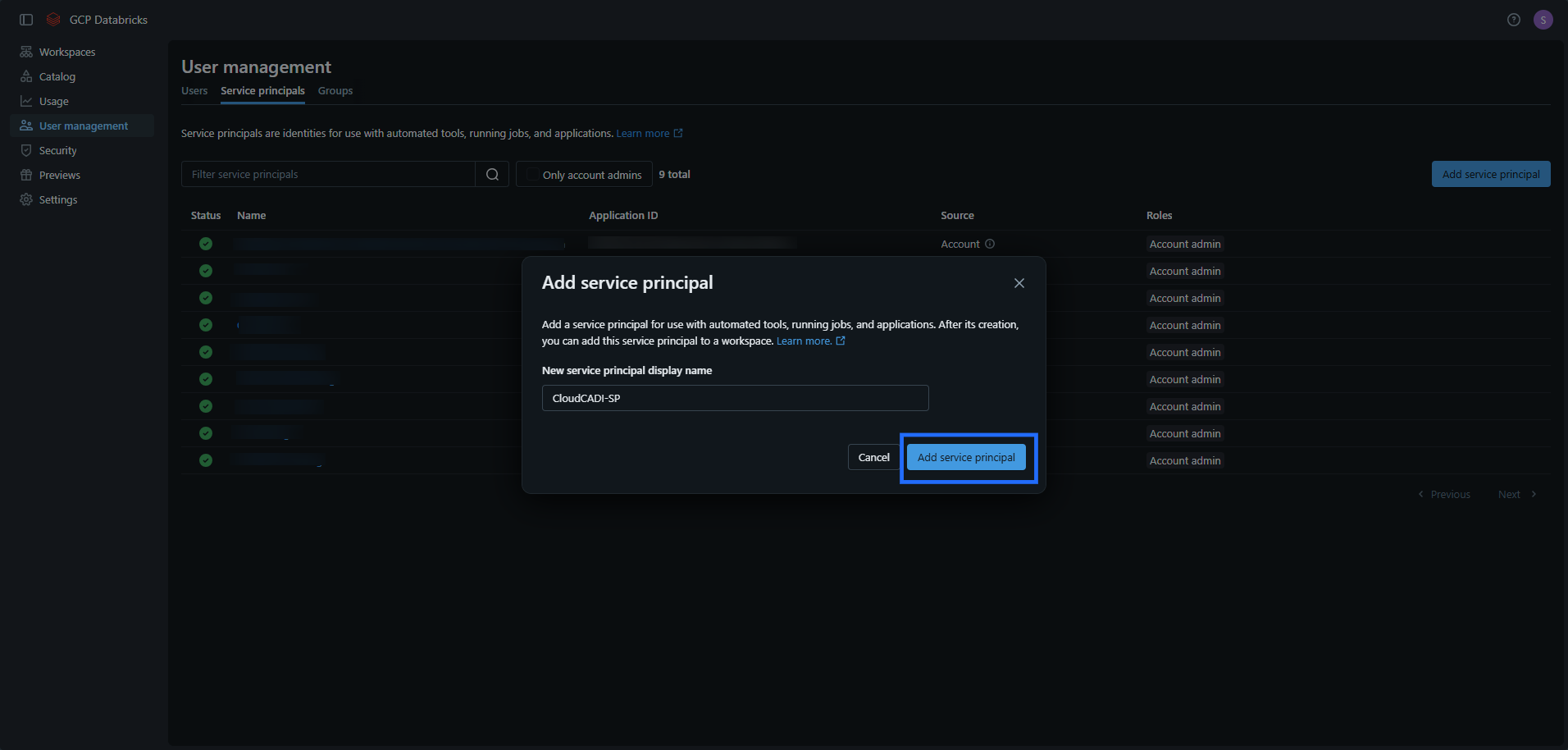
- Either choose existing Service Principal or click Add Service Principal.

- Enter Service Principal Name and click on Add button.
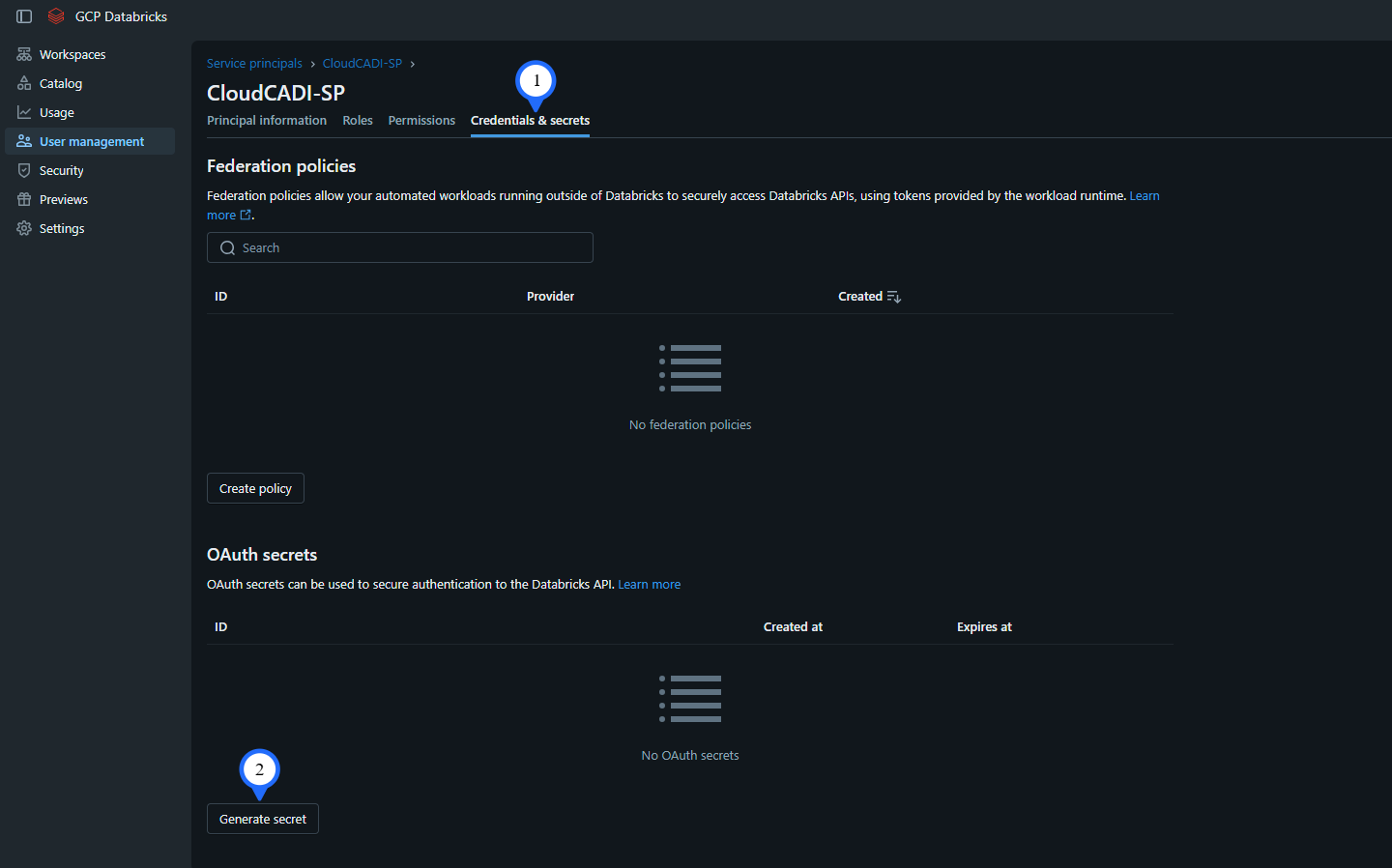
- Click on Roles and enable Account Admin.

- After this click on Credentials & secrets then click on Generate Secret button.
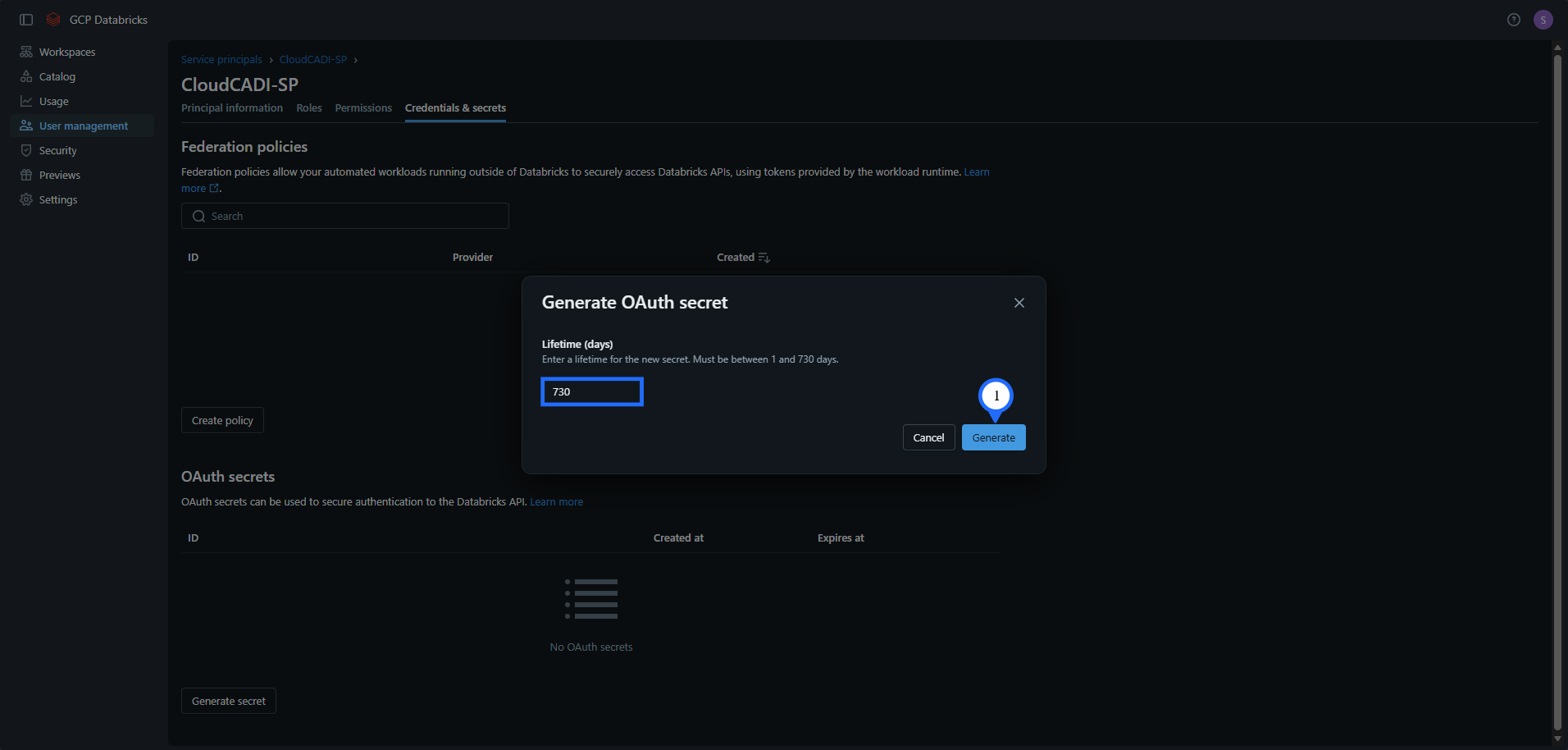
- Enter 730 and click on Generate.
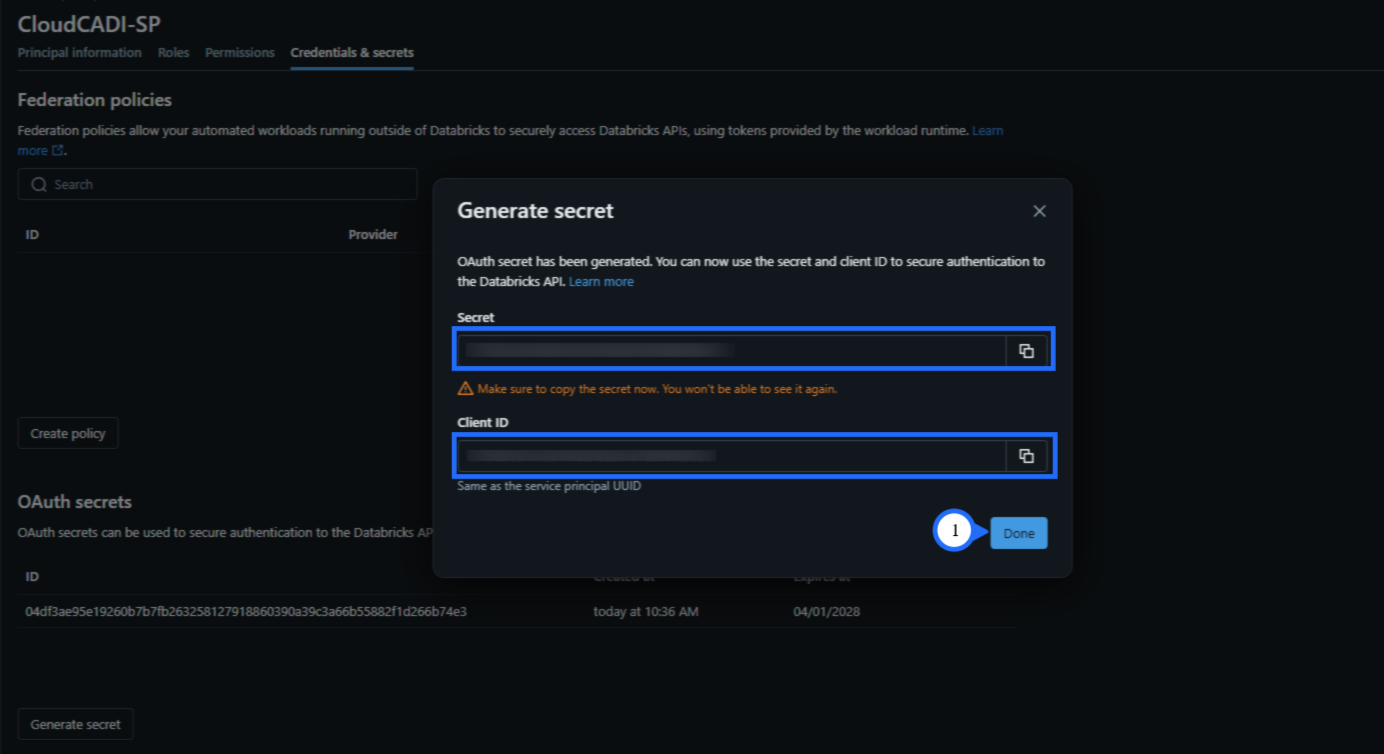
- Copy both Secret and Client ID and click Done.
- Go to your profile and copy the Account ID.
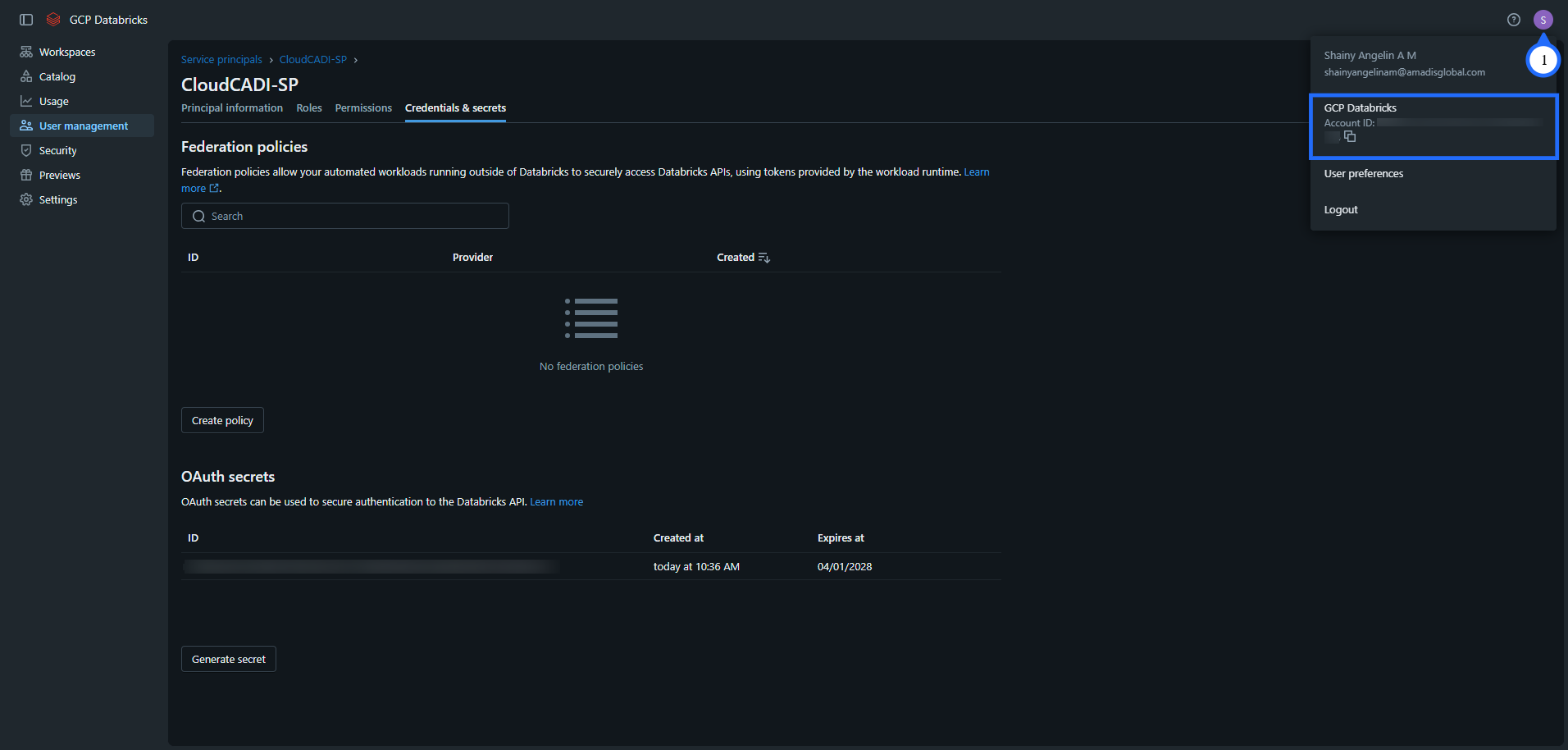
3.1.2 System Schema Permission
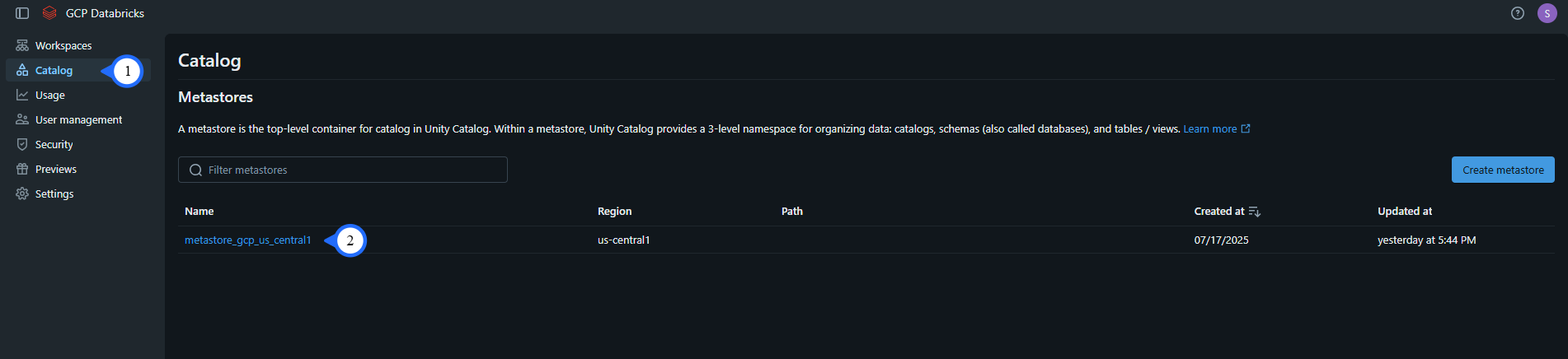
- Click on Catalog, then click the metastores.
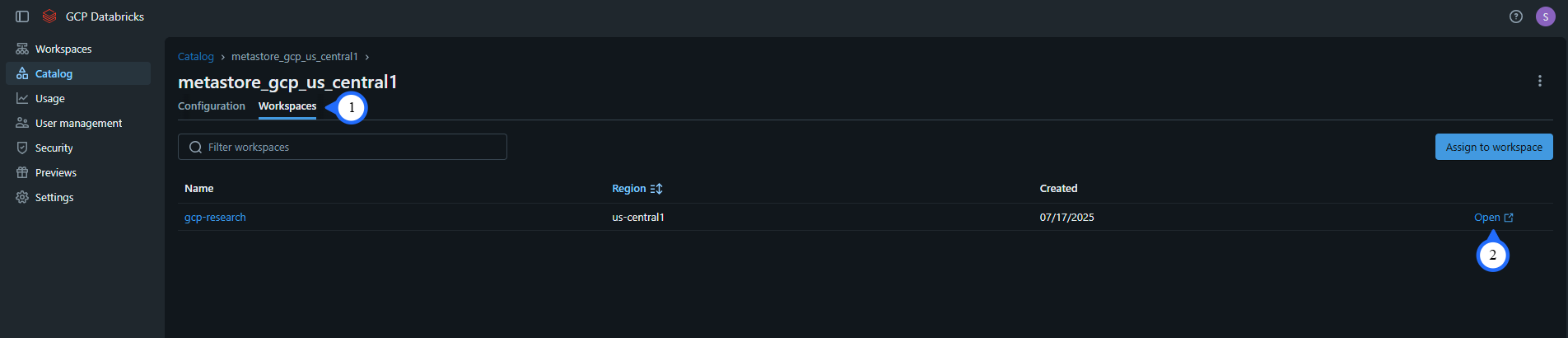
- Click on Workspaces, then click open for any one workspace associated with metastore.
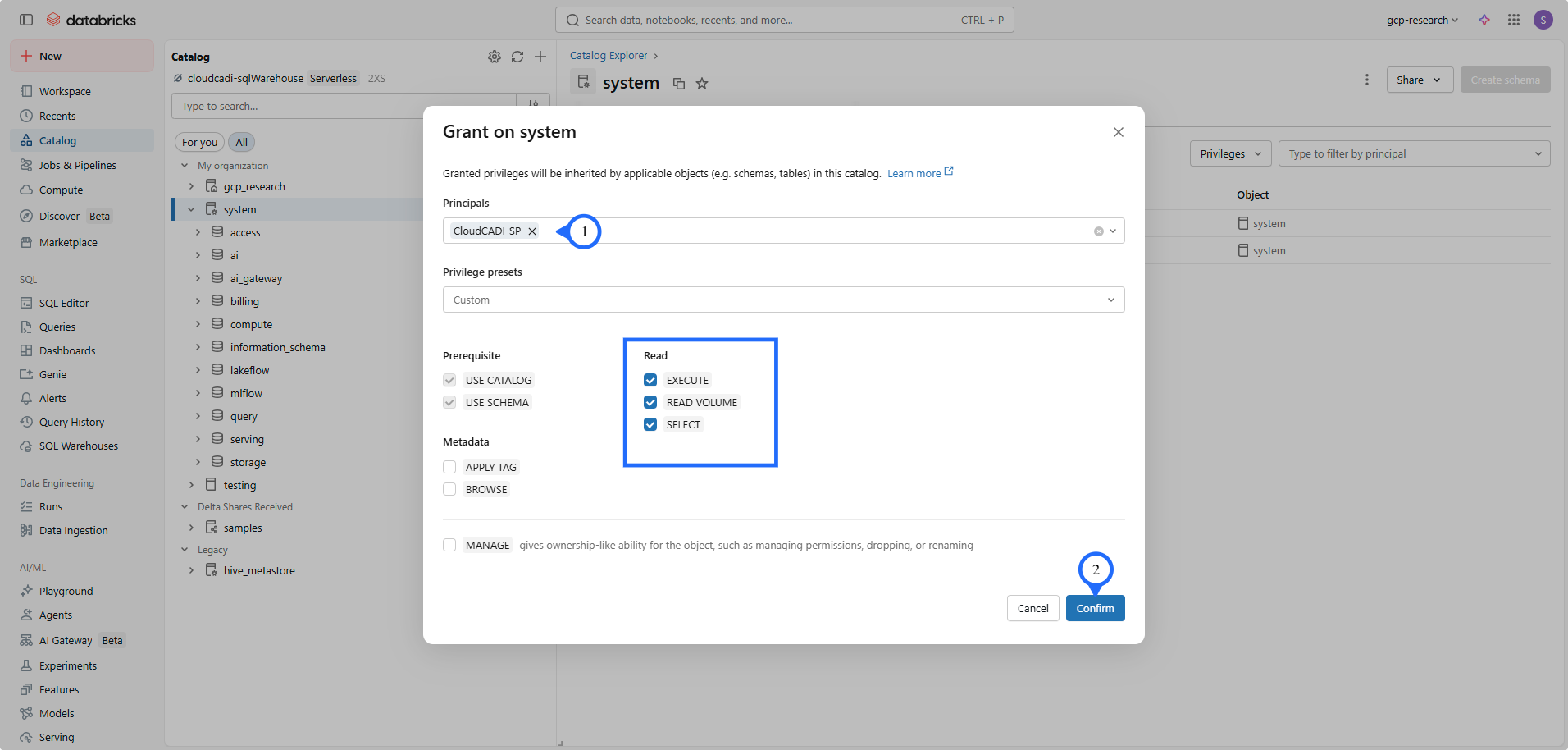
- Click on Catalog -> system schema -> Permission -> Grant.
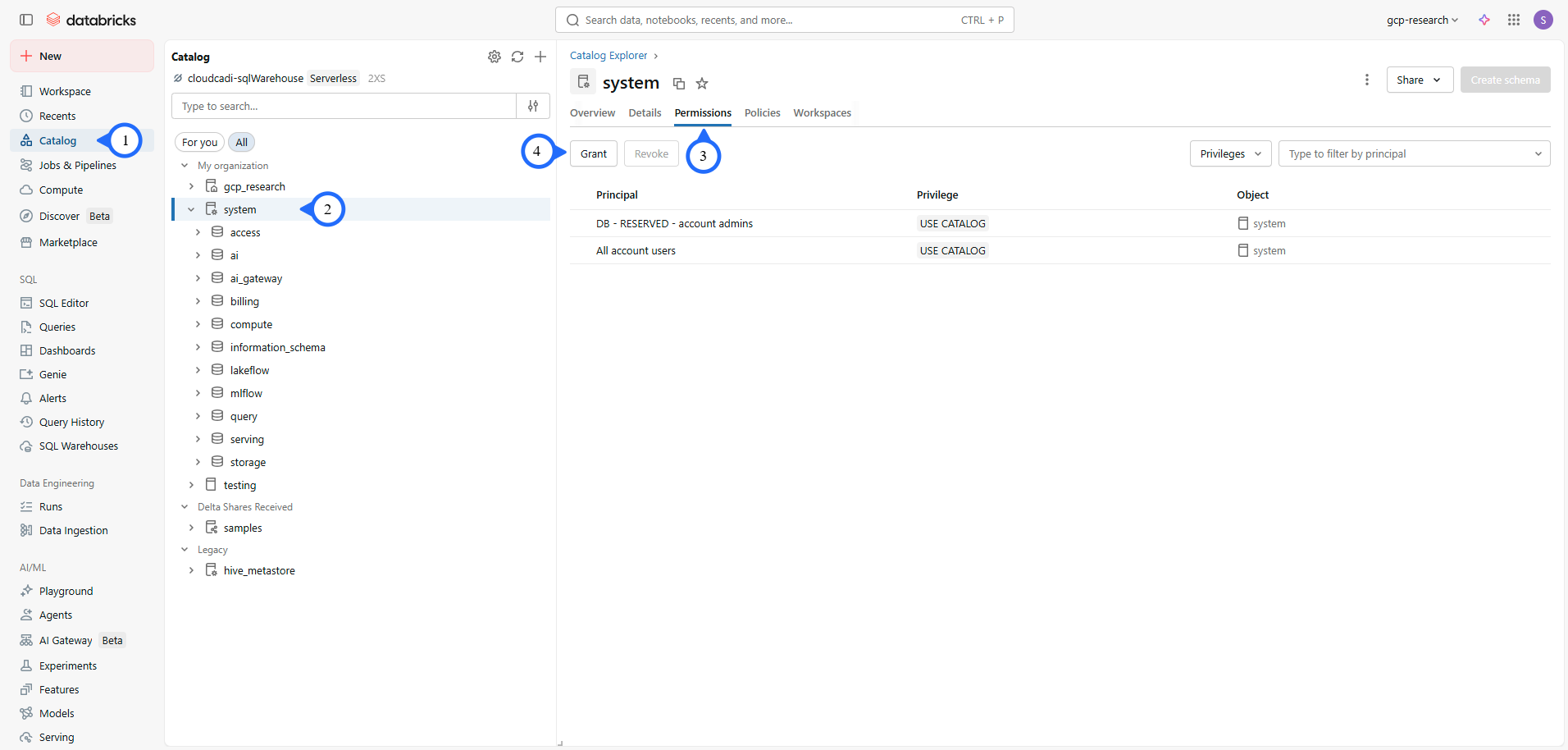
- Select the created Service Principal in the Principals.
- Check on all Read permissions, then click on Grant.
Note
- User must be a Metastore admin to access grant permission.
3.1.3 CloudCADI Setup
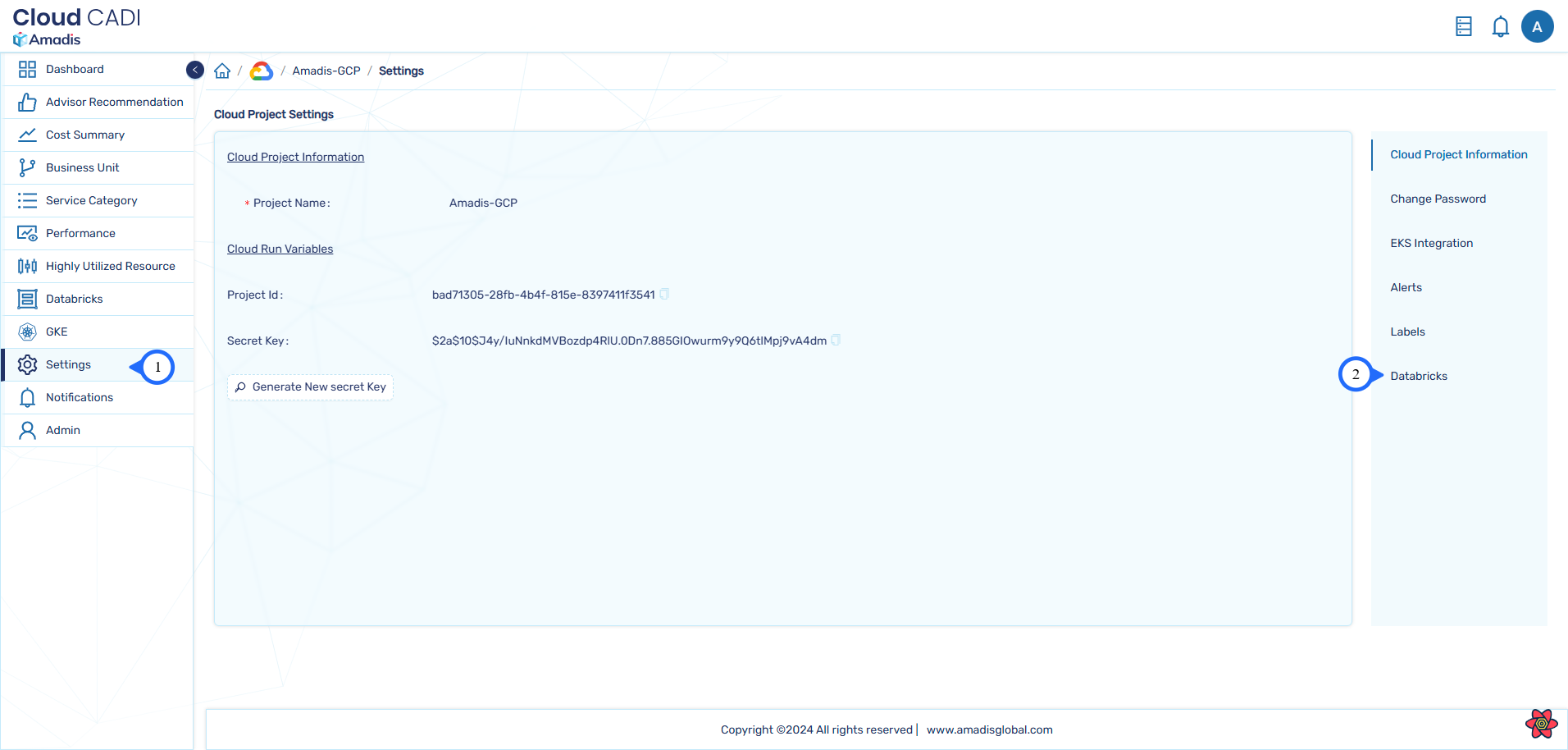
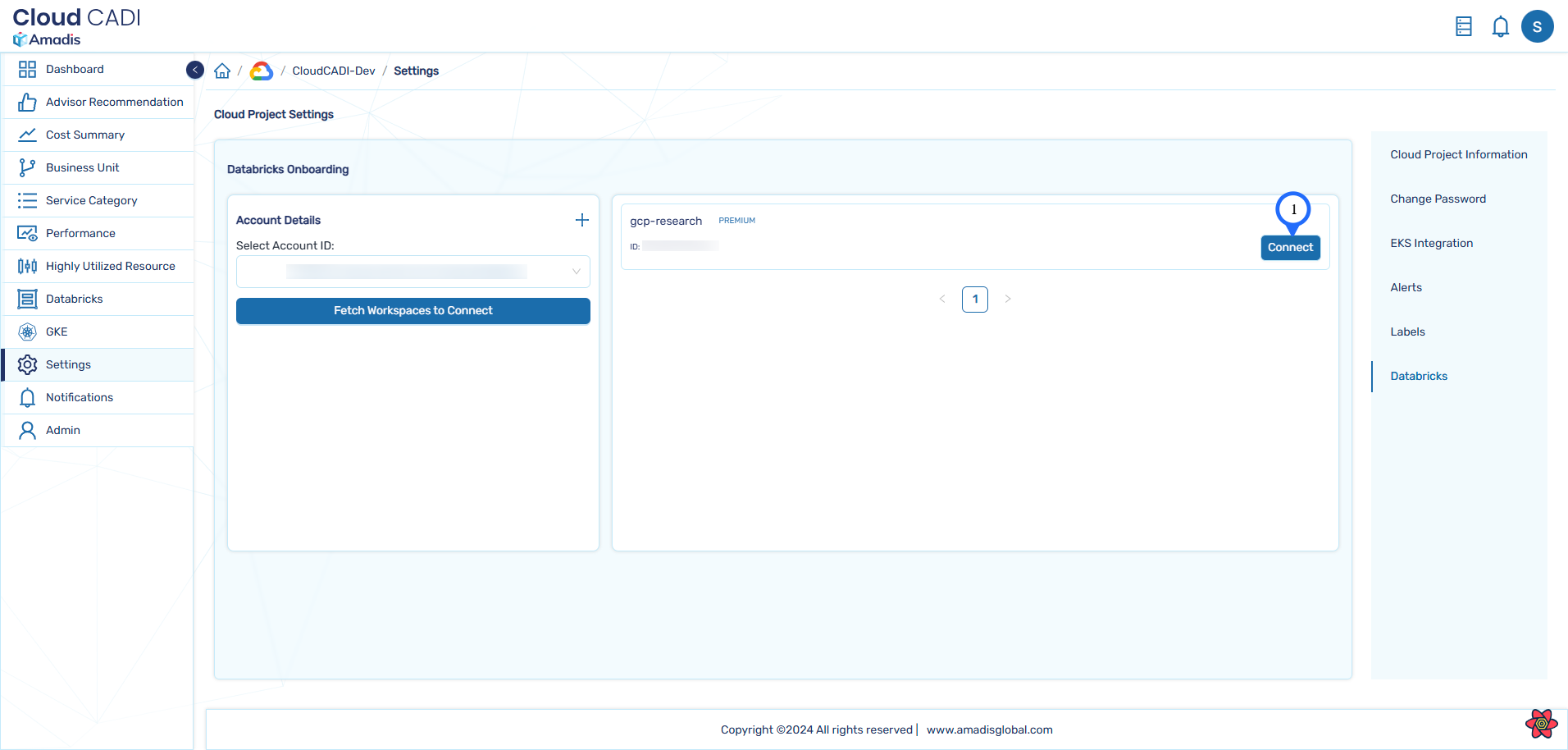
- In CloudCADI click Settings tab, then select the Databricks tab on the right side.
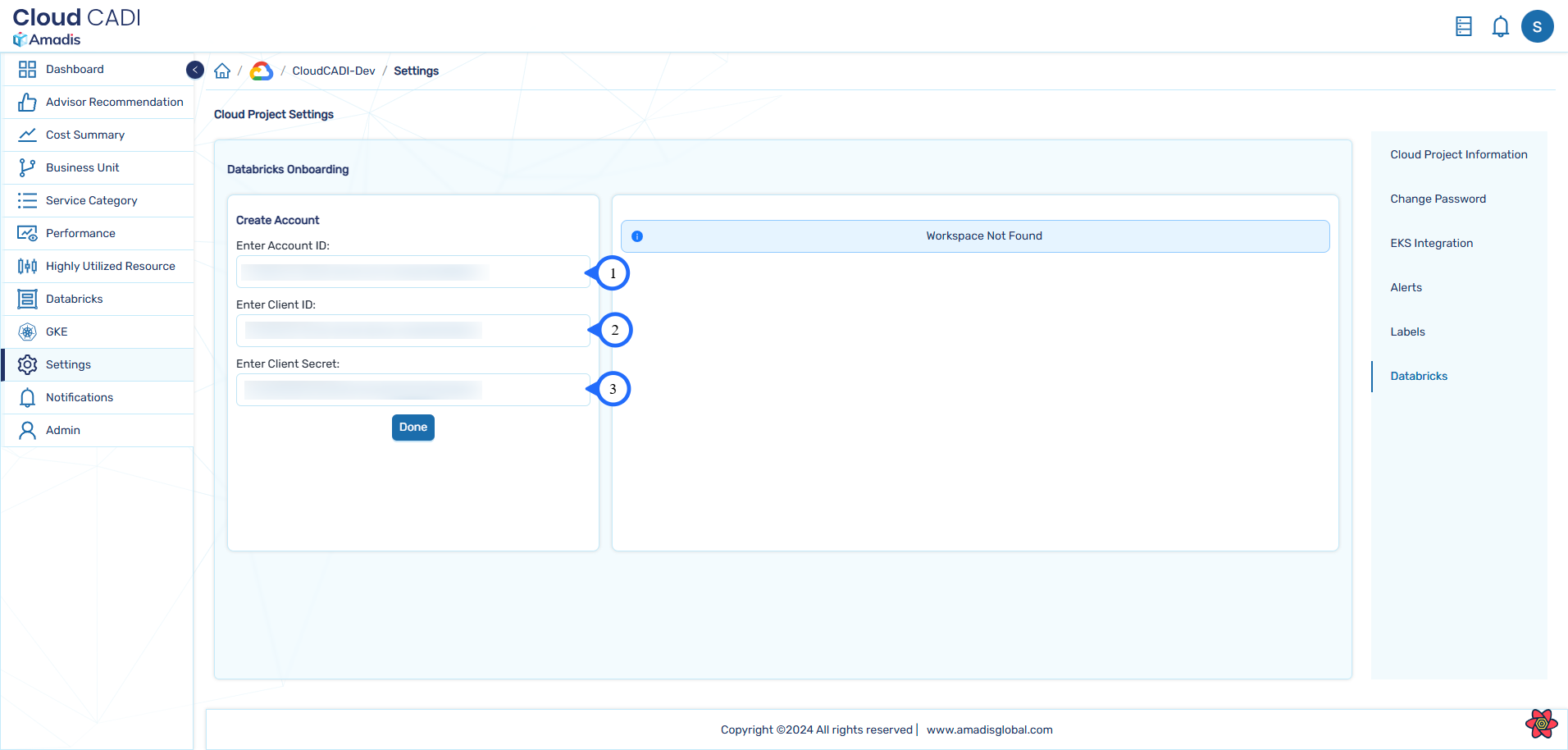
- Enter the copied Account ID, Client ID and Secret details in the respective input and click Done.
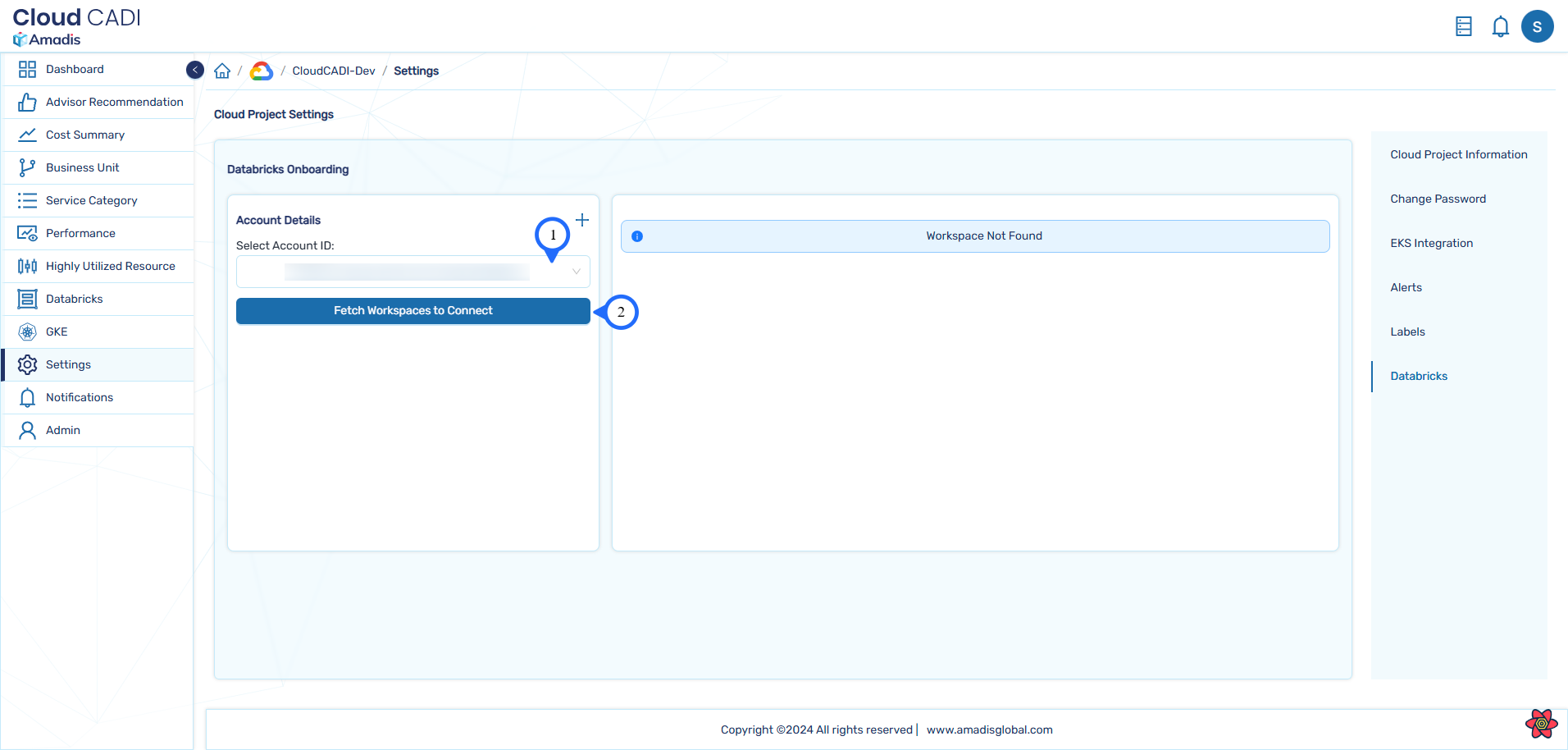
- After successful creation of Databricks account, select the Account ID and click Fetch Workspaces to Connect to view newly available workspaces.
- From the available workspaces, click Connect button to connect with the workspace. After successful connection, cost data for (n-2) date will be updated regularly.
Note
- Service principal will be assigned to the connected Workspace.
- When connecting first workspace, CloudCADI will create a SQL warehouse in the workspace.
- When user connects other workspaces associated with same metastore existing SQL warehouse is used.
- When the user connects workspaces associated with different metastore new SQL warehouse is created.